
|
| You might also like: | I Can Color Farm Animals | File Folder Games and Activities | Lotto (English) | Lotto | Today's featured page: Marvelous Masks |
| Our subscribers' grade-level estimate for this page: Kindergarten |
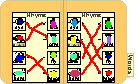 More File Folder Games |
File Folder Games: Farm Animals Match each word to a picture |
This game shows the following farm animals: cow, horse, pig, sheep, goat, duck, chicken, turkey, dog, and cat.
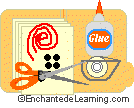
Supplies needed:
|
 |
 Page 1 (black-and-white) Page 1 (color) |
Page 2 (black-and-white) Page 2 (color) |
Print each of the two farm animals pages (choose black-and-white or color): Page 1 (black-and-white) Page 2 (black-and-white) Page 1 (color) Page 2 (color). |
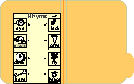 |
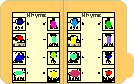
Open the file folder. Position Page 1 on the left side of the folder.
Glue the paper to the folder in this position (use white glue or a glue stick). |
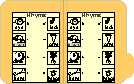 |
Position Page 2 on the right side of the folder.
Glue the paper to the folder in this position (use white glue or a glue stick). Let the glue dry. |
 |
If you like, color the black-and-white images.
For a sturdy game, laminate the two pages you just glued in the folder. |
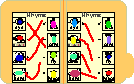 |
Cut 8 pieces of yarn or string - each piece should be about 10 inches long. Hot glue one end of a piece of yarn to each picture on the left of page one and page two (glue each piece of yarn to the tiny Y in a circle by the left-hand pictures). |
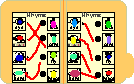 |
Glue a velcro button by each of the pictures on the right-hand columns (glue the velcro buttons to the tiny V in a circle by the right-hand pictures). |
 |
On each of the loose ends of the yarn, attach the mates to the velcro buttons (bend the velcro button backwards around the yarn and stick it to itself around the yarn). |
 |
Print out the answer page and glue it to the back of the file folder. |
|
Put a label on the file folder's tab with the game's name, "Farm Animals." Write simple instructions on the front of the file folder, something like, "This is a farm animals game. Match each word to a picture. To check your answers, look at the answer key on the back of the folder. See how many words you can find!" You now have a great game on farm animals that stores easily! |
Enchanted Learning®
Over 35,000 Web Pages
Sample Pages for Prospective Subscribers, or click below
|
Overview of Site What's New Enchanted Learning Home Monthly Activity Calendar Books to Print Site Index K-3 Crafts K-3 Themes Little Explorers Picture dictionary PreK/K Activities Rebus Rhymes Stories Writing Cloze Activities Essay Topics Newspaper Writing Activities Parts of Speech Fiction The Test of Time
|
Biology Animal Printouts Biology Label Printouts Biomes Birds Butterflies Dinosaurs Food Chain Human Anatomy Mammals Plants Rainforests Sharks Whales Physical Sciences: K-12 Astronomy The Earth Geology Hurricanes Landforms Oceans Tsunami Volcano |
Languages Dutch French German Italian Japanese (Romaji) Portuguese Spanish Swedish Geography/History Explorers Flags Geography Inventors US History Other Topics Art and Artists Calendars College Finder Crafts Graphic Organizers Label Me! Printouts Math Music Word Wheels |
Click to read our Privacy Policy
| Search the Enchanted Learning website for: |
Copyright ©2003-2018 EnchantedLearning.com ------ How to cite a web page